Practical advice
Contains affiliate links
Bird-feeder camera privacy and security
Position a camera so it avoids neighbours, secure the app and Wi-Fi connection, and understand the extra care needed before sharing or livestreaming footage.
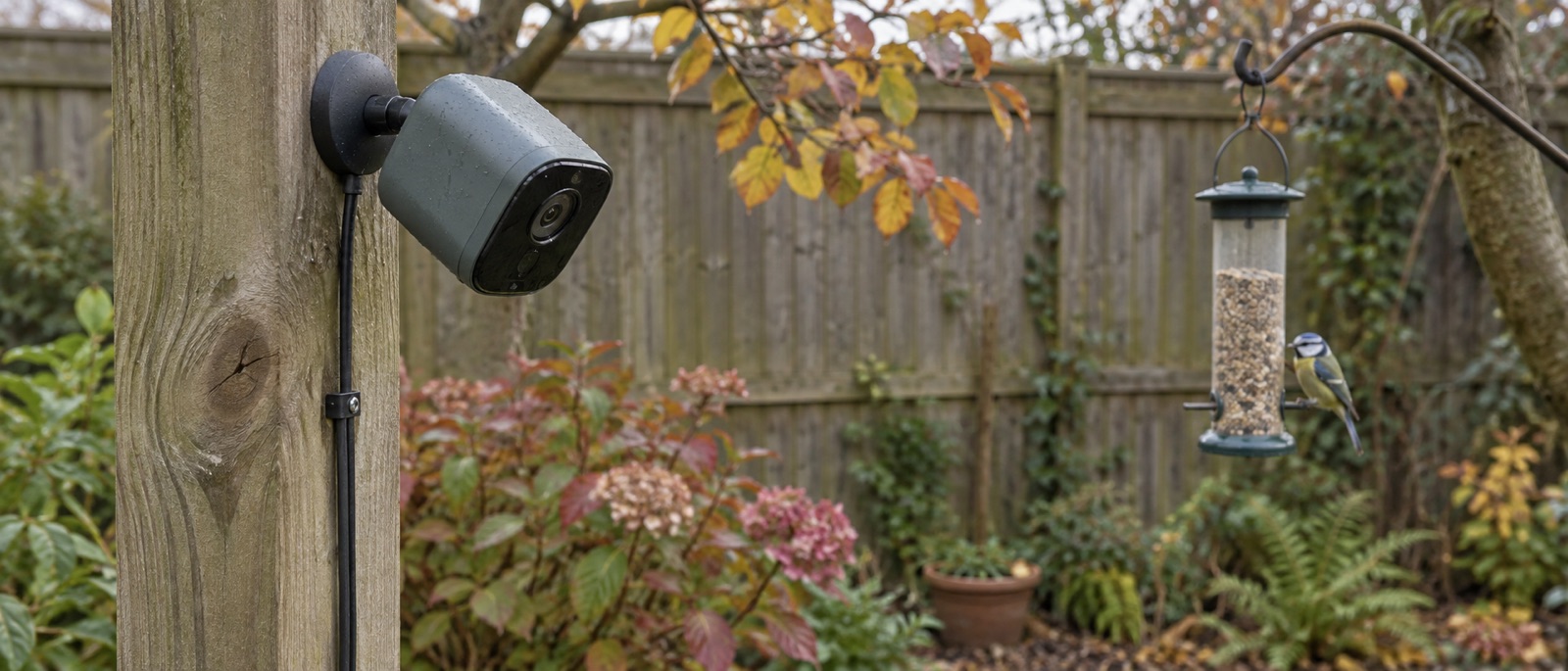
Narrow the view and avoid neighbouring property.
Secure account, router and camera before sharing access.
Never publish a camera or stream key to make viewing easier.
A bird-feeder camera should show the feeder, not the next garden. Start with the narrowest useful field of view, then secure the connected device and app account: unique password, two-step verification where available, prompt updates and limited sharing. Watch a saved clip to see what is actually captured. A wide outdoor security camera needs more care than a lens built into the perch.
The UK privacy boundary
The ICO's home CCTV guidance says you should try to point cameras away from other people's property, public areas and communal space. If a home camera records beyond your property boundary, data protection law can apply; this does not automatically make the recording unlawful, but it does bring responsibilities such as minimising what you capture, securing footage and handling requests appropriately. The ICO notes its guidance is under review, so check the current page if your setup is close to the boundary.
An integrated camera feeder normally looks at a short perch. Even so, put it where the background is a hedge or your own fence, not a neighbour's window. A wall-mounted security camera may take in a far wider scene; use a model's privacy mask if it supports one and make a recording to confirm the mask also appears in saved footage.
| Before switching on | What to check |
|---|---|
| Lens direction | Is the feeder the subject, with no neighbouring window or shared path in the frame? |
| Audio | Is a microphone needed? Avoid recording conversations or neighbouring gardens. |
| Recording | Does the saved clip match the preview and respect privacy masks? |
| Guests | Who can see live view, stored clips and location details? |
| Retention | How long does the app or card keep footage, and how do you delete it? |
Our positioning guide starts with the bird-safe and maintainable feeder location, then checks camera framing.
Secure the camera and app
The National Cyber Security Centre's smart-camera advice recommends changing default passwords, installing updates and disabling remote access if you do not need it. Its wider smart-device guidance also recommends two-step verification when offered. Use a distinct password for the camera account, not one shared with your email or shopping accounts.
Review app permissions and shared viewers after installation. Revoke people who no longer need access. Do not put a camera password, RTSP URL containing credentials or a livestream key in a public post. Avoid opening internet-facing router ports simply to view footage remotely; the NCSC warns that UPnP and port forwarding can expose smart cameras. Use the maker's supported remote-access route where needed.
Keep the router and camera firmware up to date. If the app stops receiving security updates, consider replacing the device rather than treating a working picture as proof it is safe. A strong garden Wi-Fi signal also reduces connection failures; our Wi-Fi range guide covers practical signal checks without weakening security settings.
Local card, cloud account and sharing are different choices
An SD card can reduce reliance on paid clip storage but does not automatically eliminate cloud services, app logins or remote viewing. Conversely, an app-based feeder might have free basic clips yet charge for longer storage or guest live access. Our SD-versus-cloud guide separates those questions.
With a separate camera such as the Tapo C320WS, check any privacy-zone and local-storage settings in the current app, then test a recording. With a close-focus Birdbuddy feeder, confirm its current free and paid sharing options rather than assuming that a personal live view can safely be made public. These are product examples, not a claim that one brand is intrinsically secure.
Before you livestream
Public broadcasting magnifies a small mistake. Watch the frame across a full day for people, gates, addresses or conversations. Disable audio unless genuinely necessary. Hide stream credentials, decide who moderates chat and know how to stop the broadcast immediately. Our livestream setup guide starts with a supported local camera feed and deliberately keeps the stream key private.
None of these settings changes the duty to avoid disturbing birds. If a camera is inside a nest box, do not open an occupied box to improve connectivity or angle. Fix that during an empty-box installation window.
Frequently asked questions
Is a bird-feeder camera covered by UK GDPR?
If it only captures your own garden in a purely domestic use, the ICO says domestic CCTV rules generally differ from a camera recording beyond the boundary. If it captures neighbours or a public/shared space, data protection obligations can apply. Check the ICO's current guidance for your situation.
Should I turn off the microphone?
Usually, yes, if it is not needed for bird viewing. Audio can capture people farther away than the visible frame suggests.
Is a password enough?
A unique password is essential, but updates, two-step verification where offered and limited account sharing also matter.
Helpful products
Two different camera privacy approaches
A separate outdoor camera may offer masking and local recording, while a close-focus feeder camera naturally frames the perch. Neither is private unless you configure and aim it carefully.
TP-Link Tapo C320WS outdoor camera
A mains-powered IP66 outdoor camera with Wi-Fi or Ethernet networking, app live view and optional local microSD recording.
For a separately mounted camera watching a feeder at a suitable distance. Its wide security-camera field of view cannot promise close bird portraits; disable spotlight, siren and intrusive audio near wildlife and frame away from neighbours.
Birdbuddy Pro Solar smart bird feeder
A solar-roof smart feeder with a close-focus camera, advertised 5MP photos and 2K video.
For app-led close-up feeder visits. Its free app supports personal live viewing, while automatic premium AI and guest livestream access have different membership terms; confirm the selected bundle.