Practical advice
How to watch a nest-box camera without disturbing birds
Use remote nest-box footage responsibly, recognise warning signs and know which settings and repairs must wait.
Never open an active box to clean the lens, refocus or retrieve a card.
Mute unnecessary alerts and avoid lights, sounds or repeated approaches near the entrance.
Put bird welfare before footage and follow the BTO nest-monitoring code.
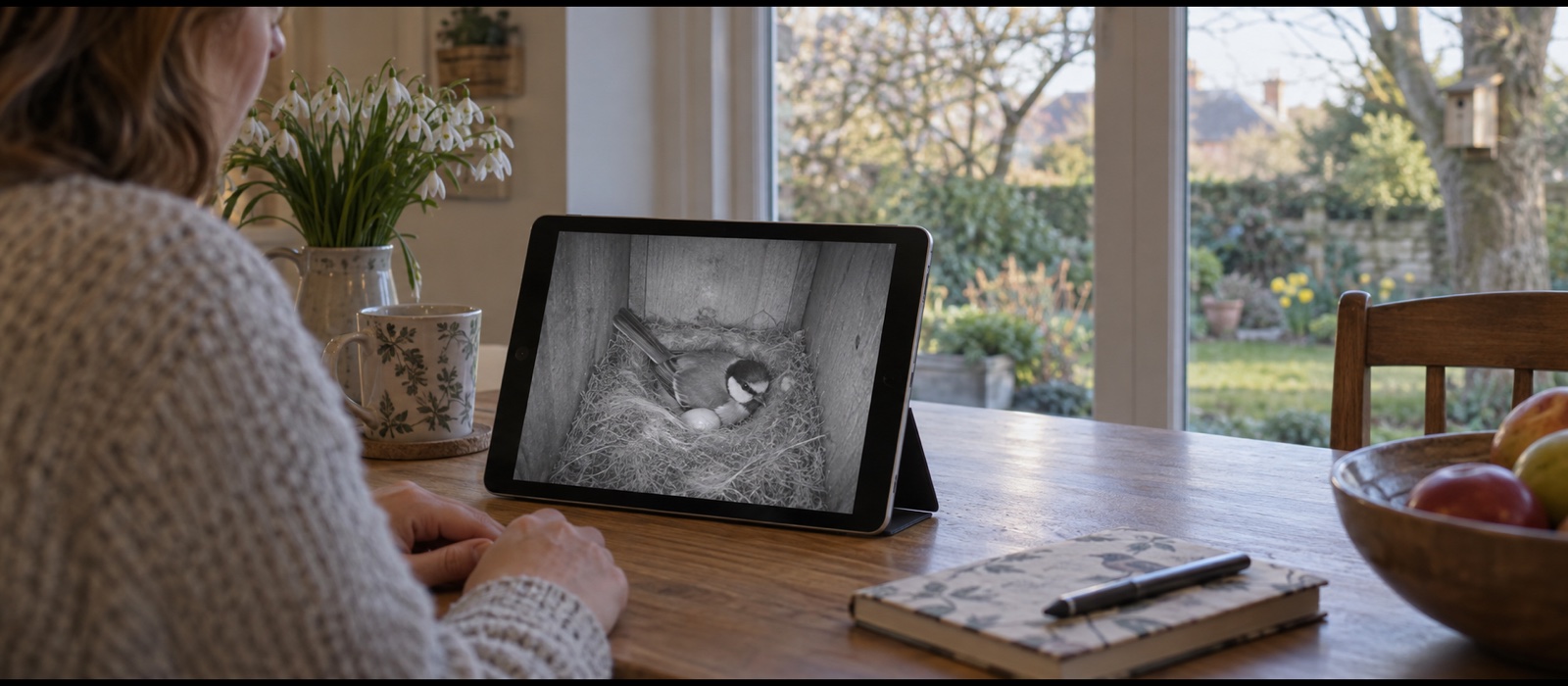
Watch a nest-box camera from indoors once birds are investigating or nesting, and leave the box and equipment alone. Do not open it to improve focus, clean the lens or recover a memory card. If the picture fails, troubleshoot indoor equipment only; a blank screen does not mean the box is empty.
Real nest footage can be dim, obstructed or temporarily unavailable. A perfect picture is never worth changing the conditions around an active nest.
Follow the same welfare rule as nest recorders
The BTO Nest Record Scheme Code of Conduct begins with a simple principle: observing a nest must not jeopardise its safety. A remotely installed camera reduces visits, but it does not remove your responsibility.
Wild bird nests and eggs are protected while in use or being built. Schedule 1 species also have additional protection from intentional or reckless disturbance at or near the nest. If an unexpected specially protected species occupies a site, seek expert advice rather than changing the equipment.
Watch remotely and keep routines normal
Use the app, television or recorder from the place where you normally live. Do not stand beneath the box each time an alert arrives, gather a group outside, or create a worn path that could draw attention from people or predators.
Ordinary brief garden activity may continue at a respectful distance, but respond to the birds. Repeated alarm calls, hesitation at the entrance or adults leaving when you appear are signals to move farther away and reduce activity.
Do not add light for a colour picture
Purpose-built bird-box cameras normally use invisible infrared and produce a monochrome image in darkness. That is appropriate. Do not shine a torch through the entrance or install a bright internal lamp to create daytime colour.
Leave infrared and indicator settings as configured before occupation. If the model has a visible status LED that should have been disabled, do not open the active box to change it. Make a note for the off-season instead.
Use notifications selectively
Motion alerts can become constant once chicks are active. They may encourage compulsive checking without adding useful information. Use a schedule or reduce notification frequency through remote settings only if the change does not activate lights, sounds or camera movement at the box.
Do not use two-way audio, sirens or voice functions near a nest. A security-camera feature is not appropriate simply because the app provides it. Keep phone and television sound at a comfortable indoor level; it has no benefit to the birds.
If the picture becomes blocked
Nesting material often rises towards an overhead camera, and condensation or dust can soften the view. This is normal field footage. Never open the box to move material, wipe the lens or raise the camera while the nest is active.
The same rule applies if focus was set incorrectly. Record the lesson and correct it after the season. Our installation guide shows how to focus with a temporary object in an empty box before the next attempt.
If power or connection fails
Troubleshoot only what you can reach indoors: app status, router, receiver, television input, recorder, network switch and indoor power supply. Do not tug an outdoor cable, climb to the box or replace a battery during nesting.
A blank screen does not prove the box is empty. The camera may have failed while eggs or chicks remain. Observe discreetly from a distance and wait until the full attempt is clearly over before physical work. See when to install a camera for a better pre-season reliability check.
If a feed works on one device but not another, the device-connection guide distinguishes app sharing, casting, direct TV and network viewing without touching the box.
Record and share footage responsibly
Short clips can help you learn feeding rates, fledging behaviour and species identification. Save only what matters and keep the date accurate. If you contribute records to a project, follow its methods rather than inferring egg or chick counts from uncertain angles.
Avoid publishing precise locations of vulnerable or specially protected nests. Remove address details, geotags and recognisable landmarks where necessary. Do not livestream in a way that encourages visitors to approach the site.
Know when intervention is not appropriate
Nest cameras reveal events that are difficult to watch, including competition, predation and chick mortality. In most cases these are natural processes and opening the box can cause more harm. Do not handle eggs or chicks; that generally requires a licence.
If a bird is visibly trapped by your installed equipment, contact a licensed wildlife rehabilitator or appropriate conservation body for immediate advice rather than improvising. Preventive cable management and correct mounting while the box is empty are essential.
After the nesting attempt
Wait until all young have fledged and the box is certainly no longer in use. Another brood may follow, so do not act on the first quiet day. Use distant observation and the lawful off-season nest-box cleaning guidance.
When access is appropriate, turn off power, inspect fixings, clean the lens as directed, replace damaged cable and review a sample recording. Correct the clock, storage and focus before closing the box for the next season.
Use the nest-box cleaning and timing guide before opening it; another brood or winter roost can change what is safe even after footage has gone quiet.
Frequently asked questions
How often should I watch?
As often as is enjoyable from indoors, provided it does not lead to physical visits or changes at the box. Turning off unnecessary alerts can make viewing calmer.
Can I open the box if I think the camera shows a problem?
Not for routine curiosity or equipment maintenance. Follow BTO guidance, do not touch contents and seek expert advice for a genuine welfare emergency.
Is it safe to share a nest livestream?
It can be, but hide sensitive location information and ensure the stream does not encourage people to approach. Welfare takes priority over audience engagement.