
Camera guide
Contains affiliate links
Wired vs wireless bird-box cameras: which connection works for you?
Compare analogue TV cables, Wi-Fi cameras and PoE bird-box systems by power route, viewing device, reliability and installation timing.
Our recommendations
Three connection routes in real products
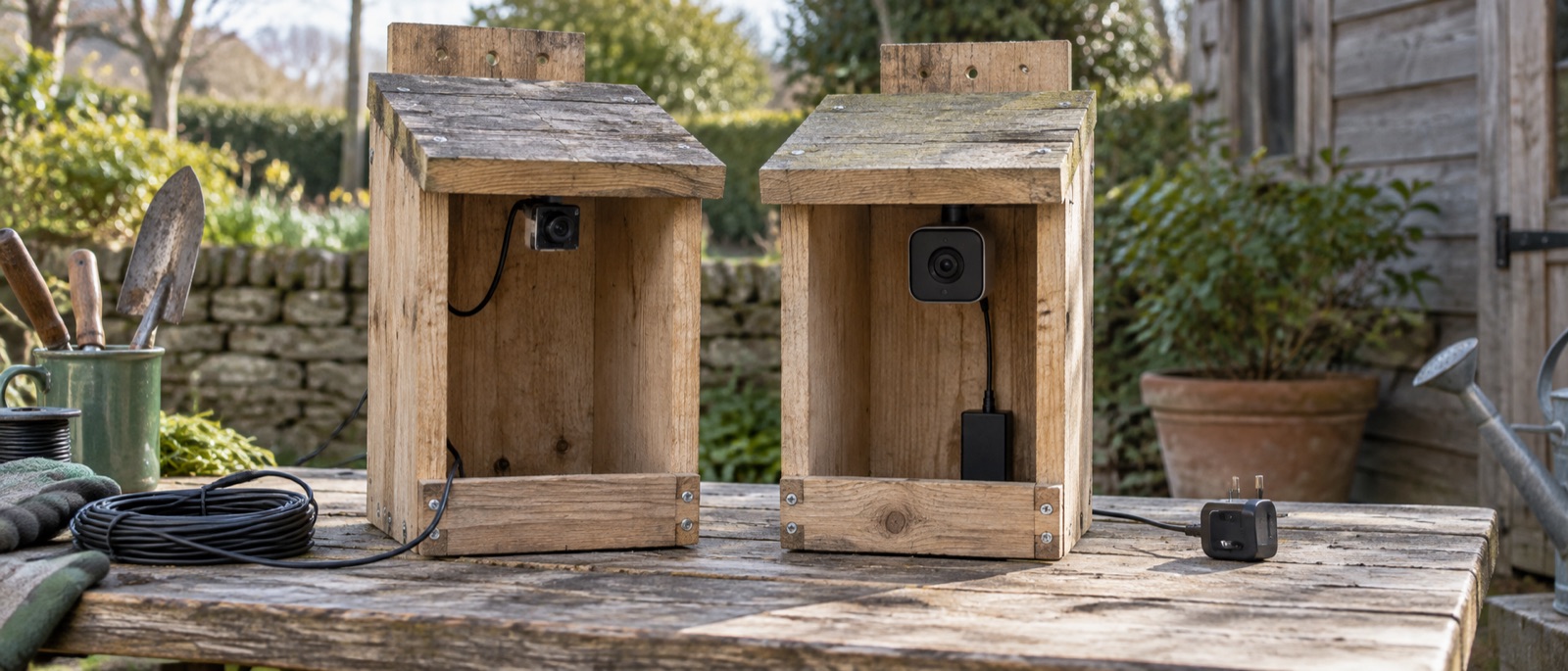
These are purpose-built bird-box cameras, not feeder cameras. Compare the supplied cable, power adaptor and viewer before buying a box to match.
Green Feathers wired 700TVL bird-box camera kit
An analogue camera with invisible 940nm infrared and a twenty-metre combined video-and-power cable.
Best simple wired route to a television. Drawback: many modern TVs need a compatible AV-to-HDMI converter.
Green Feathers 1080p Wi-Fi bird-box camera 10m kit
A purpose-built smart camera kit with night vision, recording support and a ten-metre power extension.
Best complete Wi-Fi camera kit for a short cable route. Drawback: ten metres may not reach and Wi-Fi must be checked outdoors.
Green Feathers HD PoE bird-box camera with 20m cable
A wired network camera that carries power and data over Ethernet, supplied with a twenty-metre cable.
Best stable network connection. Drawback: PoE is more technical and needs compatible network hardware.
What is the difference between wired and wireless bird-box cameras?
A wired bird-box camera carries its picture through a cable. An analogue kit can feed a compatible television input, while a network camera can carry data over Ethernet. A Wi-Fi bird-box camera sends its picture wirelessly to your network, but may still need a cable for power. “Wireless” does not necessarily mean battery-operated, solar-powered or cable-free.
Think about the route from the box to the viewer before choosing the camera. A direct-TV camera may be simple once installed but difficult if the cable must cross a patio. A Wi-Fi camera is convenient for phones yet useless if the wall blocks the signal. PoE is stable when a suitable Ethernet run and compatible network equipment are already planned.
Connection types at a glance
| System | Picture route | Power route | Best when |
|---|---|---|---|
| Analogue wired | Video cable to TV or compatible converter | Supplied power lead and adaptor | You mainly watch on a television and can route the cable safely |
| Wi-Fi app | Home Wi-Fi to phone or tablet | Usually a separate power lead | You want remote app viewing and the box has strong signal |
| PoE network | Ethernet to compatible network equipment | Power over the same Ethernet cable | You want a stable connection and can install a network cable |
The table is about connection principles. Check the connector, cable length and viewer of the exact product; Green Feathers has several generations and bundles. Our device-compatibility guide covers TVs, casting and multiple viewers in more detail.
Three useful product examples
Green Feathers 700TVL analogue kit: direct television path
The checked wired kit includes a 20-metre combined video-and-power cable. It makes sense if the box is within a safe cable run of a viewing point and a compatible AV input. Many modern TVs lack analogue composite inputs, so budget for a correctly specified AV-to-HDMI converter if needed. “700TVL” is an analogue specification, not HD video resolution.
Green Feathers 1080p Wi-Fi 10m kit: app-led viewing
This kit combines a smart camera with a 10-metre power extension. It is attractive when you want to watch on a phone or tablet, but its image still relies on adequate Wi-Fi at the box. The 10 metres describe the supplied cable, not wireless range. Measure the actual outdoor power path and keep connectors weather-protected as directed.
Green Feathers PoE kit: one data-and-power cable
The PoE model can use an Ethernet cable for network data and power, reducing separate cabling at the box. It is a good fit for someone already comfortable with network installation. It still needs compatible PoE equipment and a safe exterior cable route. It is not a plug-in replacement for a standard analogue-TV kit.
For broader product fit, see best bird-box cameras and Green Feathers' model-specific compatibility help.
Installation timing matters more than a perfect picture
Mount the box, route cables, secure connectors, check focus and test the viewer before birds occupy it. Wild birds, eggs and active nests are protected. GOV.UK filming guidance is a strong reminder that camera work cannot justify disturbance. If birds have begun investigating or nesting, stop modifications and wait until the box is confirmed empty at a suitable time.
The installation steps and timing guide are worth reading before drilling. Never open an occupied box to swap a connector, improve the angle or retrieve footage.
Frequently asked questions
Does a wireless bird-box camera need electricity?
Usually yes. A Wi-Fi picture can be wireless while the camera uses a wired adaptor. Check the exact kit; do not infer battery operation from “wireless”.
Can a wired camera show video on my phone?
Some network or PoE systems can through an app or recorder. A simple analogue-TV kit does not automatically do so; it needs compatible capture equipment.
Is PoE safer or better for the birds?
No connection method is inherently better for birds. A stable, secure pre-season installation that can be left undisturbed is what matters.